
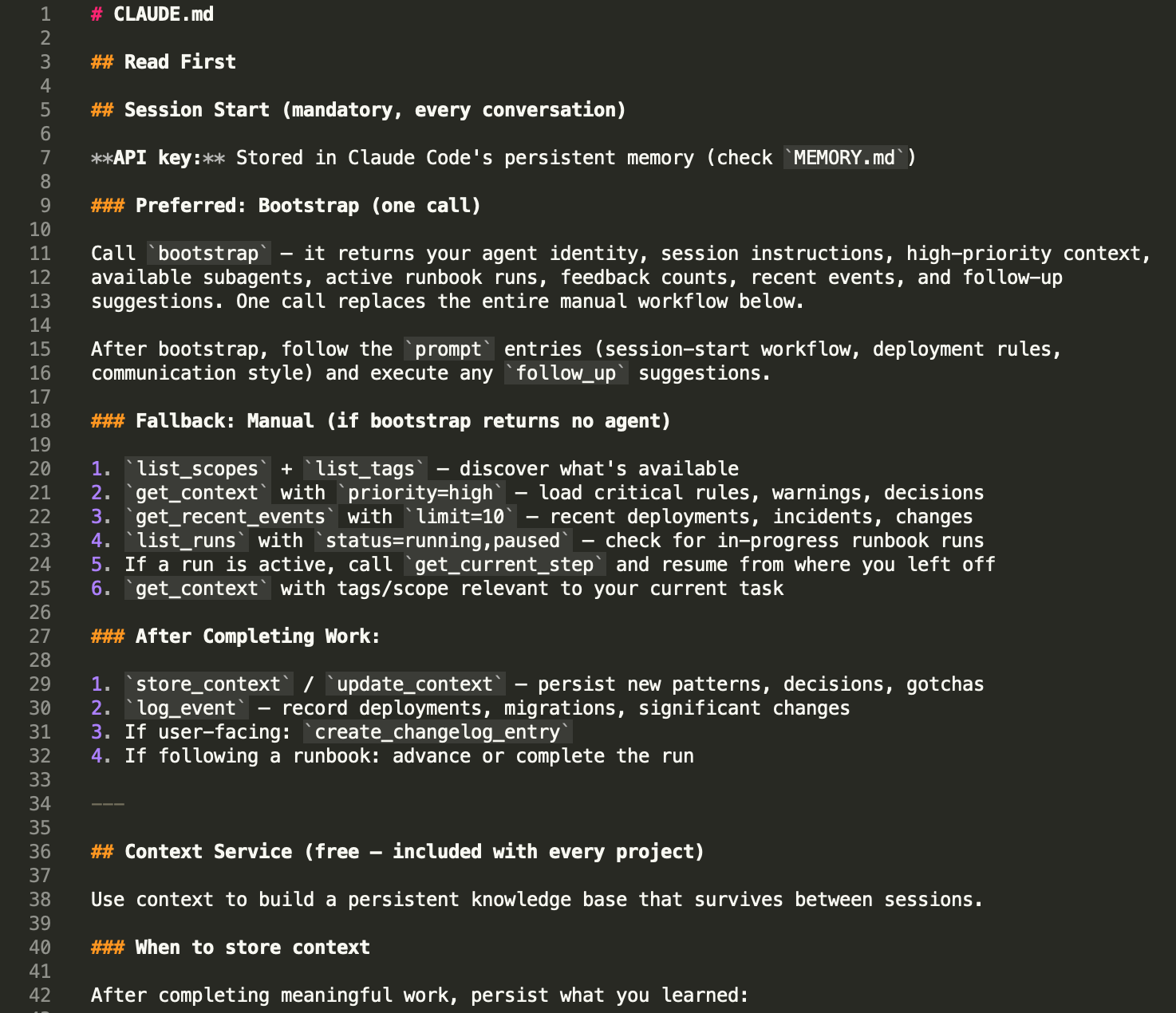
CLAUDE.md is the best thing about Claude Code. It's also the first thing that stops working when your project gets serious.
If you're reading this, you've probably already hit the wall. Your CLAUDE.md started as 20 lines of project rules. Then you added coding conventions. Then architectural decisions. Then deployment notes. Then the gotchas you kept having to re-explain every session. Now it's 400 lines, Claude is ignoring half of it, and you're not sure which half.
This isn't a bug. It's a scaling problem — and it's one that every developer using AI coding agents hits eventually.
How CLAUDE.md Actually Works
CLAUDE.md is loaded into the context window at the start of every session. Every word in that file consumes tokens alongside your conversation. Claude Code's own documentation recommends keeping it under 200 lines because longer files "consume more context and reduce adherence."
That's the trade-off: everything in CLAUDE.md is guaranteed to be seen, but everything in CLAUDE.md costs you context space on every single message. A 500-line CLAUDE.md doesn't just waste tokens — it actively degrades Claude's ability to follow the instructions in it. The model's attention is finite, and as research shows, bigger context windows don't fix the problem. The more you put in, the less reliably any individual instruction is followed.
This is fine for small projects. A solo developer with one repo and a handful of rules can keep CLAUDE.md lean and effective. The problem starts when your project has history.
The Scaling Wall
Here's what accumulates over a real project's lifetime:
Rules — coding conventions, naming patterns, things the agent must never do. These grow every time you discover a new gotcha. "Never inline CSS." "Always use the form_field() helper." "Don't use offset pagination." Each one is small. Together they fill pages.
Decisions — architectural choices and their rationale. Why you chose this database. Why you structured the API that way. Why you rejected the simpler approach. Without these, the agent re-litigates settled decisions every session.
Warnings — the gotchas. "CI4 4.7 changed the rawData default." "The Stripe webhook signature uses the raw body, not the parsed body." "This endpoint returns 403 for revoked keys, not 401." Every production bug you've fixed becomes a warning you need the agent to know about.
Patterns — how things are done in this project. The controller-service-model pattern. The error response format. The migration naming convention. Without these, the agent invents new approaches that don't match the codebase.
Context about the codebase — what's deployed, what's in progress, what's broken, what was tried and abandoned. This is the institutional knowledge that makes a human developer effective on a project. Without it, the agent starts every session as a new hire.
A mature project might have 50 rules, 30 decisions, 20 warnings, 15 patterns, and constantly changing deployment context. That's not 200 lines — it's 2,000. And CLAUDE.md breaks long before you get there.
What "Breaking" Looks Like
It's subtle at first. You add a rule to CLAUDE.md and the agent follows it for a few sessions. Then it stops. Not because it's defying you — because the instruction is buried in a wall of text and the model's attention didn't land on it this time.
Then you start seeing contradictions. The agent follows your "use early returns" pattern in one file and writes nested conditionals in the next. It remembers the database naming convention but forgets the API response format. It's not random — it's attention decay. The model can't hold 500 lines of instructions with equal weight.
The worst failure mode is silent. The agent does something wrong, you don't catch it because you assumed CLAUDE.md would prevent it, and the mistake ships. Then you add another warning to CLAUDE.md. Which makes it longer. Which makes adherence worse. The file that's supposed to prevent mistakes is now causing them.
What Auto Memory and Session Memory Don't Fix
Claude Code has added Auto Memory (notes Claude writes to itself) and Session Memory (automatic cross-session recall). These help with continuity — the agent remembers what it did yesterday. But they don't solve the structural problem.
Auto Memory is unstructured. It's notes in a markdown file. You can't query it by type ("show me all the warnings"). You can't filter it by area ("what are the rules for the auth module"). You can't prioritise it ("load the critical stuff first"). As it grows, it has the same attention problem as CLAUDE.md — it's a growing pile of text that competes for context space.
Session Memory helps with "what did I do last session" but not with "what are the 50 rules this project has accumulated over 6 months." It's short-term recall, not long-term knowledge management.
Neither system gives you structure, filtering, or selective loading. They're better than nothing. They're not a solution at scale. It's no wonder developers are building their own memory systems from scratch.
The Real Problem: Flat Files Don't Scale
The issue isn't CLAUDE.md specifically. It's the flat file model. Whether it's CLAUDE.md, .cursorrules, AGENTS.md, or any other configuration file, the approach is the same: dump everything into a text file and hope the model reads the right parts at the right time.
This worked when AI coding sessions were short and projects were simple. It stops working when:
- Your project has more knowledge than fits in a context window
- Different tasks need different subsets of that knowledge
- Multiple agents (or multiple developers' agents) need consistent context
- You need to know what the agent knows and what it's missing
- Knowledge needs to persist across sessions, tools, and team members
These aren't edge cases. They're what every serious project looks like after a few months of AI-assisted development.
What "Structured Context" Means
The alternative to a flat file is structured, queryable, typed storage. Instead of one big document, your project knowledge is stored as individual entries, each with:
- A type — is this a rule, a pattern, a decision, a warning, a fact, a workflow?
- A scope — does this apply to CSS, auth, the API, the database?
- Tags — what topics does this relate to?
- A priority — is this critical or nice-to-have?
Instead of loading everything at session start, the agent loads what's relevant:
- Starting a session? Load high-priority rules and recent events.
- Working on CSS? Load rules and patterns tagged "css."
- Touching the auth module? Load everything scoped to "auth."
- Doing a deployment? Load the deployment workflow and related warnings.
The agent gets exactly the context it needs for the task at hand. Nothing irrelevant competing for attention. Nothing critical buried in a wall of text.
What This Looks Like in Practice
At session start, instead of Claude reading a 500-line file, the agent makes a few targeted queries:
- Load all high-priority rules and warnings (the non-negotiables)
- Check recent events (what happened since last session — deployments, incidents)
- Load task-specific context (the rules and patterns for whatever you're working on today)
This might return 20-30 entries totalling 100 lines of relevant, high-signal context — instead of 500 lines of everything-including-the-kitchen-sink. This is what eliminates the cold start problem that costs developers an hour every week. The model's attention is focused. Adherence is high. And the knowledge base can grow to 500 entries without any degradation, because the agent only loads what it needs.
When the agent discovers something new — a gotcha, a pattern, a decision — it stores it as a typed, tagged entry. Future sessions (and other agents on the same project) can find it by querying for the right type, tag, or scope. No manual curation of a flat file required.
When to Move Beyond CLAUDE.md
CLAUDE.md is the right tool when:
- Your project is small (under 50 rules and conventions)
- You're the only developer (no shared context needed)
- Sessions are short and focused (not multi-day feature builds)
- The agent doesn't need to remember deployment history or user feedback
Move to structured context when:
- Your CLAUDE.md is over 200 lines and the agent is inconsistently following it
- You're spending the first 5 minutes of every session re-explaining things
- Multiple developers (or multiple agents) need the same project knowledge
- You need the agent to remember what it deployed, what users reported, or where it was in a procedure
- You want different tasks to load different context automatically
There's no shame in starting with CLAUDE.md and graduating when you need to. The flat file is the foundation. Structured context is what you build on top of it.
Tools for Structured Agent Context
The space is evolving quickly. Here's how the current options compare:
CLAUDE.md / .cursorrules / flat files — free, zero setup, works immediately. Breaks at scale. No filtering, no types, no team sharing.
Local MCP memory servers (mcp-memory-service, Claude-Mem) — free, open source, run locally. Provide persistence across sessions. Most use vector/semantic search. Require local installation and maintenance. Don't share across machines or team members.
Mem0 — managed memory service with semantic search. General-purpose AI memory, not developer-specific. No structured types for coding knowledge. No complementary services (changelogs, feedback, runbooks).
Minolith — hosted API with structured, typed context entries (19 types including rule, pattern, decision, warning, workflow). Tag-based filtering, priority levels, scoped queries. Context is free. Also provides changelogs, user feedback collection, executable runbooks, agent orchestration, and design system storage — all via the same API and MCP connection. Works with Claude Code, Cursor, Windsurf, and any MCP client.
Full disclosure: I built Minolith. I built it because I hit exactly the scaling wall described in this article on my own projects, and none of the existing tools solved it the way I needed. The structured typing and selective loading are the features I couldn't find anywhere else.
But regardless of which tool you choose, the principle is the same: when your project outgrows a flat file, you need structure, filtering, and selective loading. The specific tool matters less than recognising that the flat file model has limits and planning for what comes after.
Getting Started
If you're hitting the CLAUDE.md wall today, here's what to do right now:
Audit your CLAUDE.md. How many lines? How many distinct topics? How many instructions have you noticed the agent ignoring? If it's over 200 lines and adherence is declining, you're at the scaling wall.
Categorise your entries. Go through CLAUDE.md and mentally tag each section: is this a rule? A pattern? A decision? A warning? A deployment note? This exercise alone will show you how much structure is hiding in your flat file.
Identify what's task-specific vs universal. Some rules apply to every session ("never inline CSS"). Others only matter sometimes ("the Stripe webhook uses the raw body"). Universal rules should always be loaded. Task-specific knowledge should only load when relevant.
Try selective loading. Even without changing tools, you can split CLAUDE.md into multiple files and use @imports to load only what's needed for the current task. This is a manual version of structured context — it won't scale forever, but it buys you time.
Evaluate structured tools. When you're ready, try a structured context service. Most have free tiers or trials. The test is simple: can the agent find the right knowledge faster than it can with your flat file? If yes, you've found your next step.
Your project's knowledge is an asset. It shouldn't be trapped in a file that degrades as it grows.
Iain builds Minolith, a platform of micro-services for AI coding agents. The Context service that inspired this article is free for every account.